Skip to content

Your family's meds, on track

Never miss a dose again.

Reminders and alarms on time, stock that tells you when to restock, and the whole family in one home. MediCasa takes care of the medicines of the people you care for, on iPhone, iPad and Apple Watch.

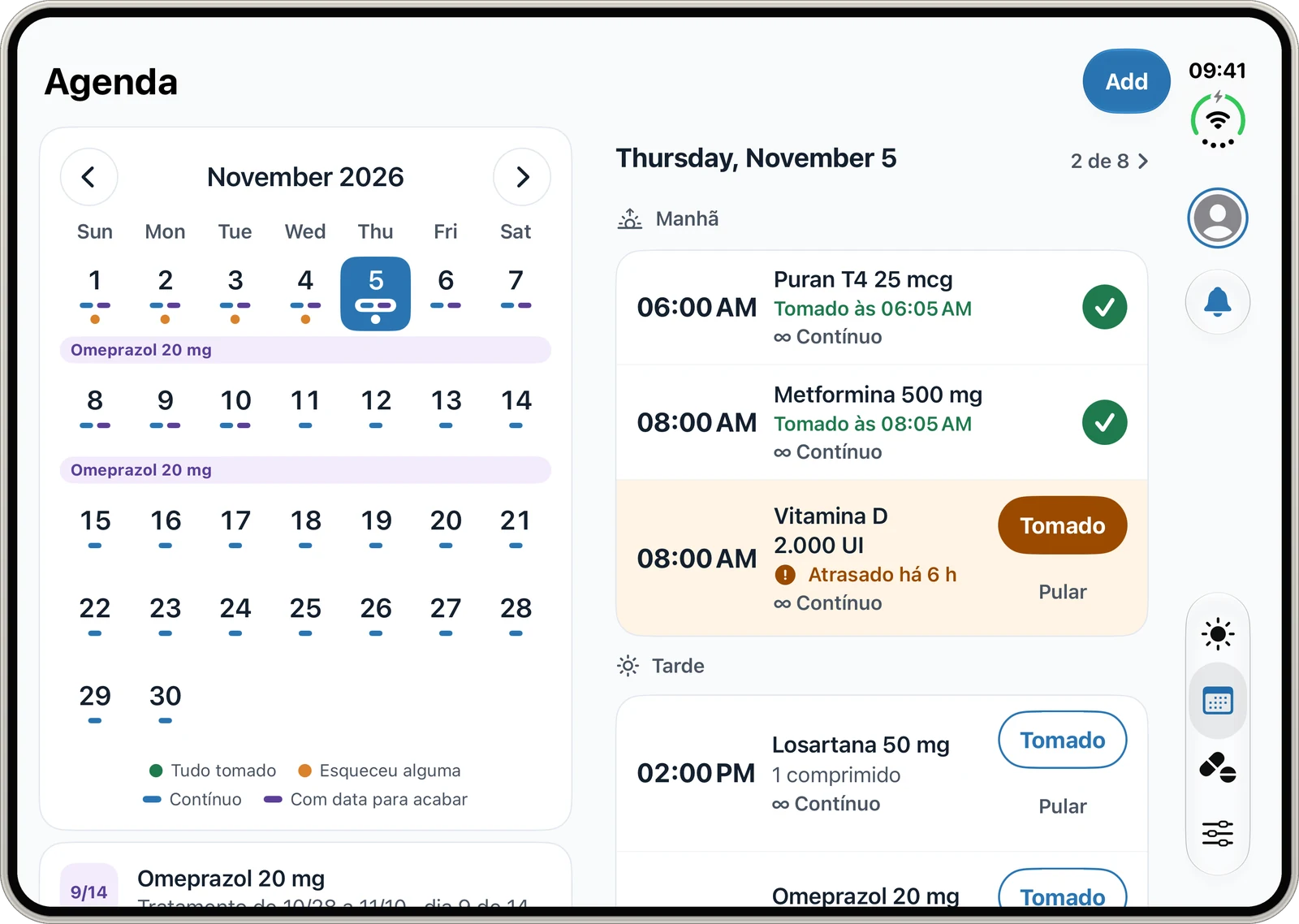
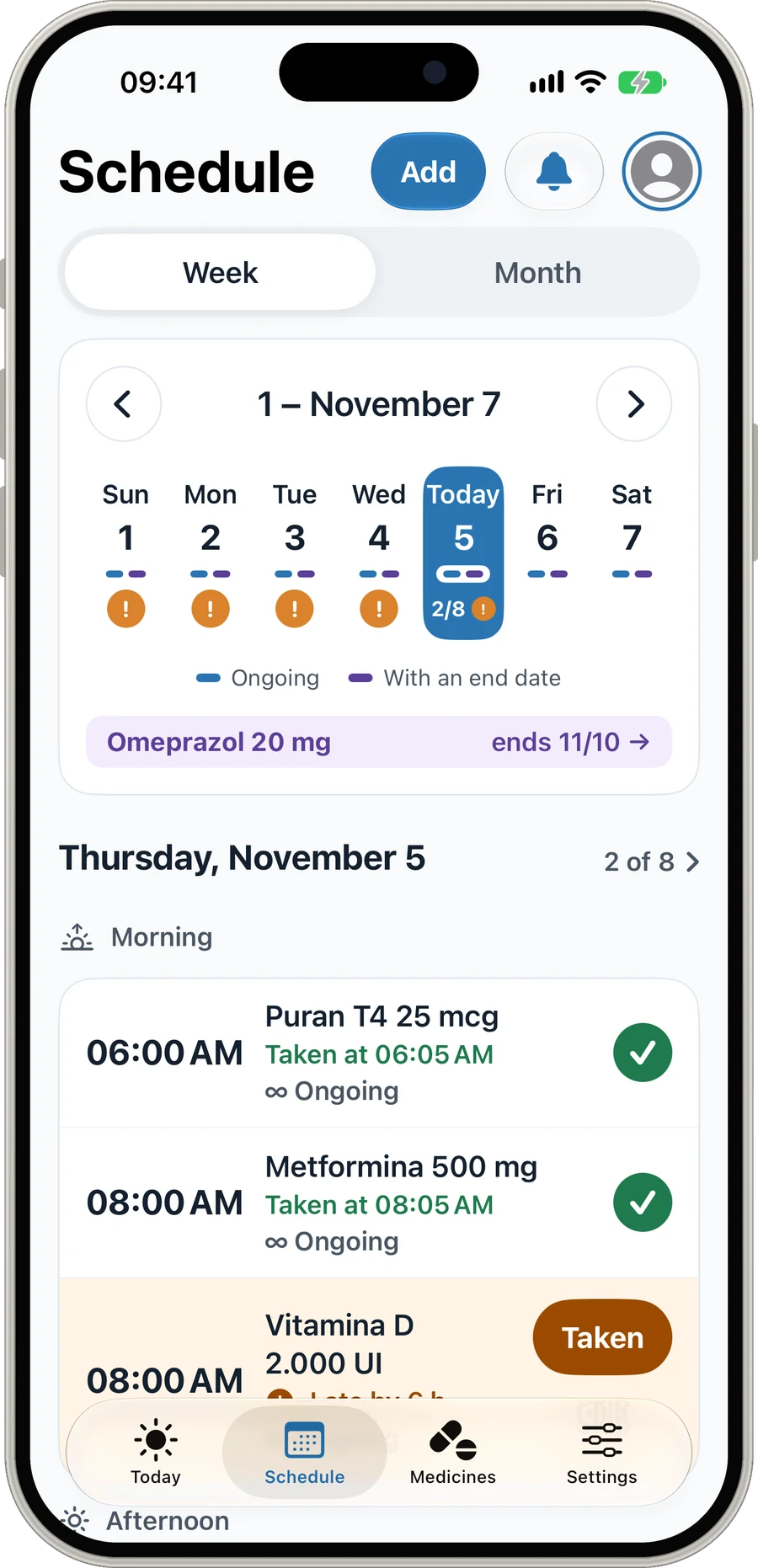
MediCasa's Schedule screen, with the week's doses
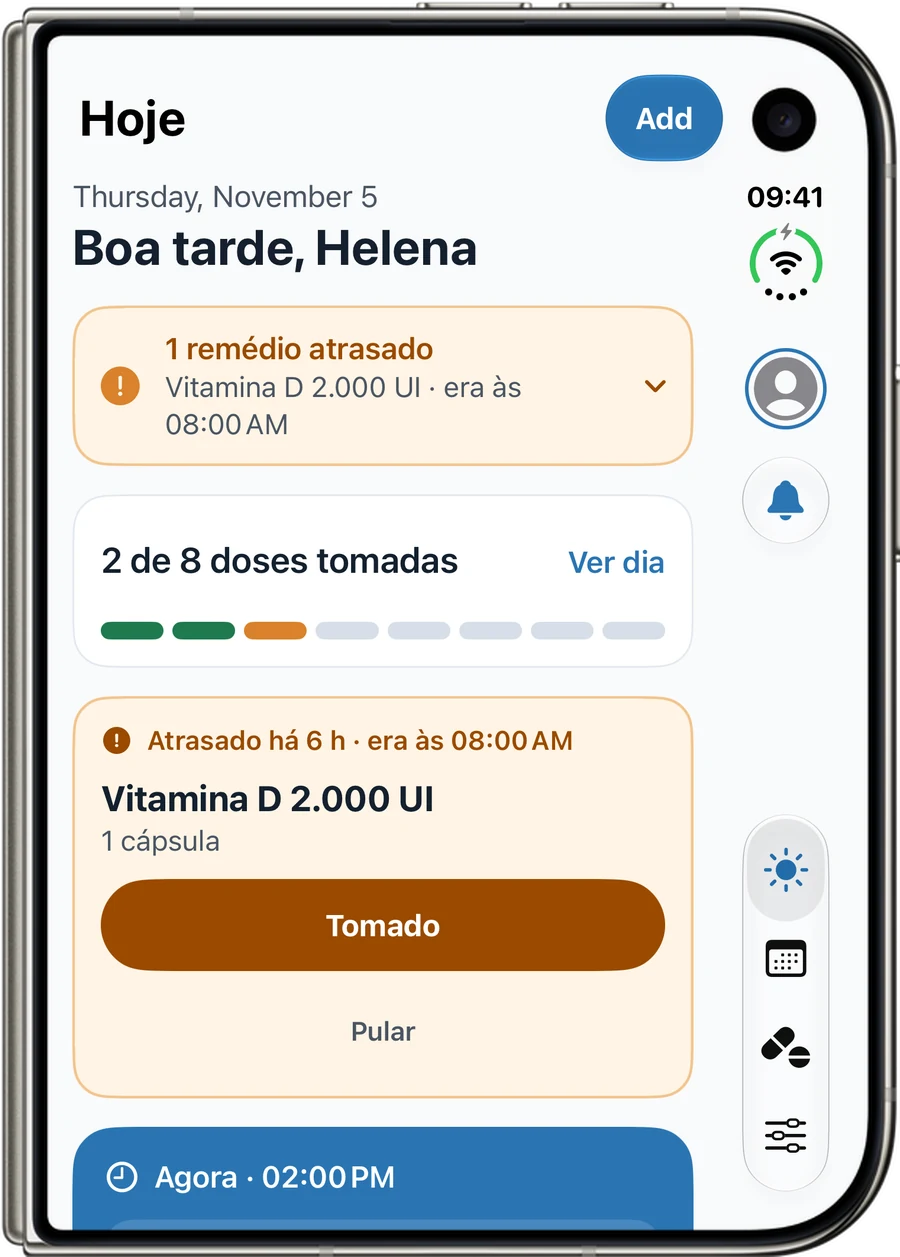
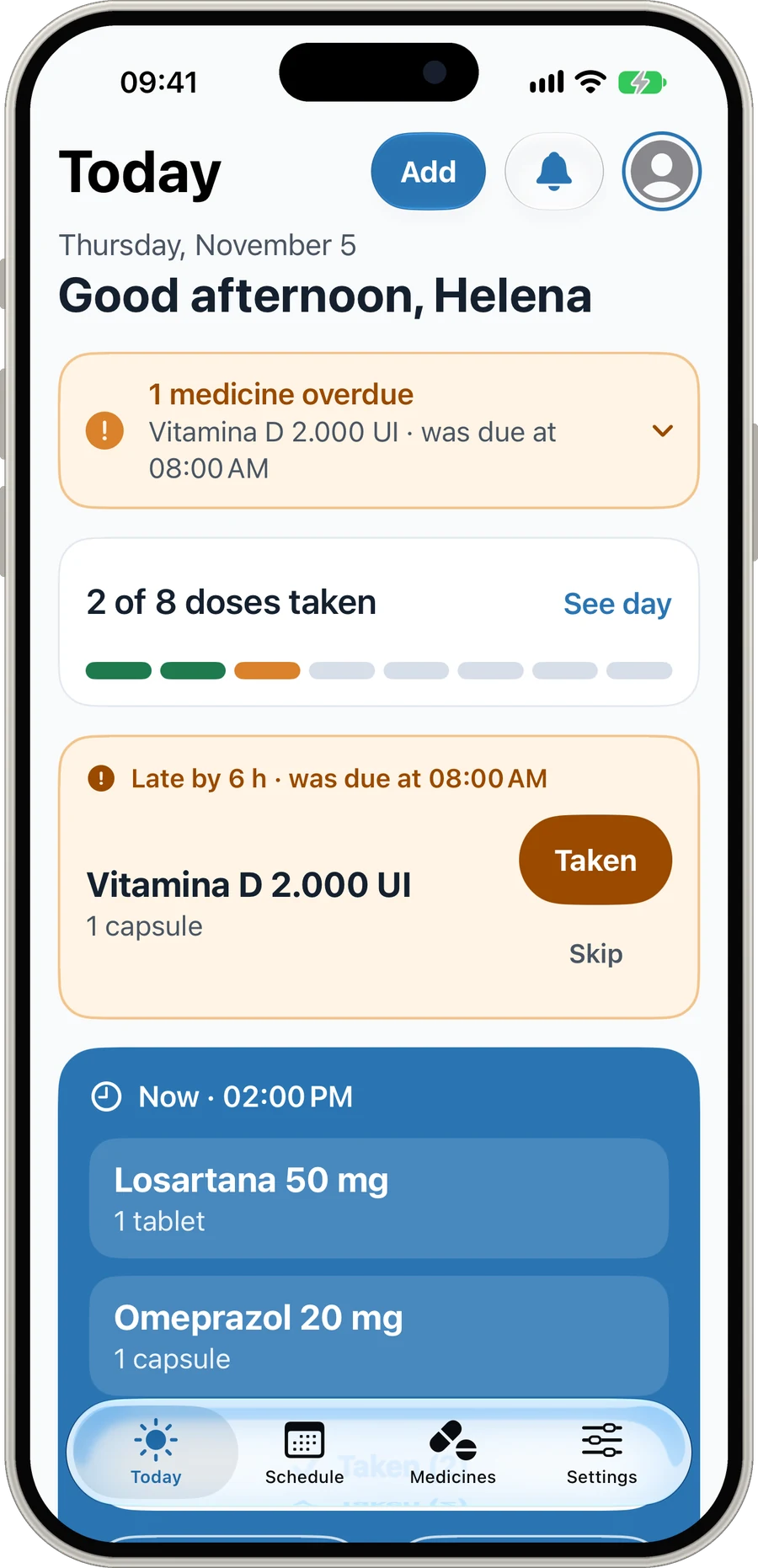
MediCasa's Today screen, with a late medicine and the doses due now
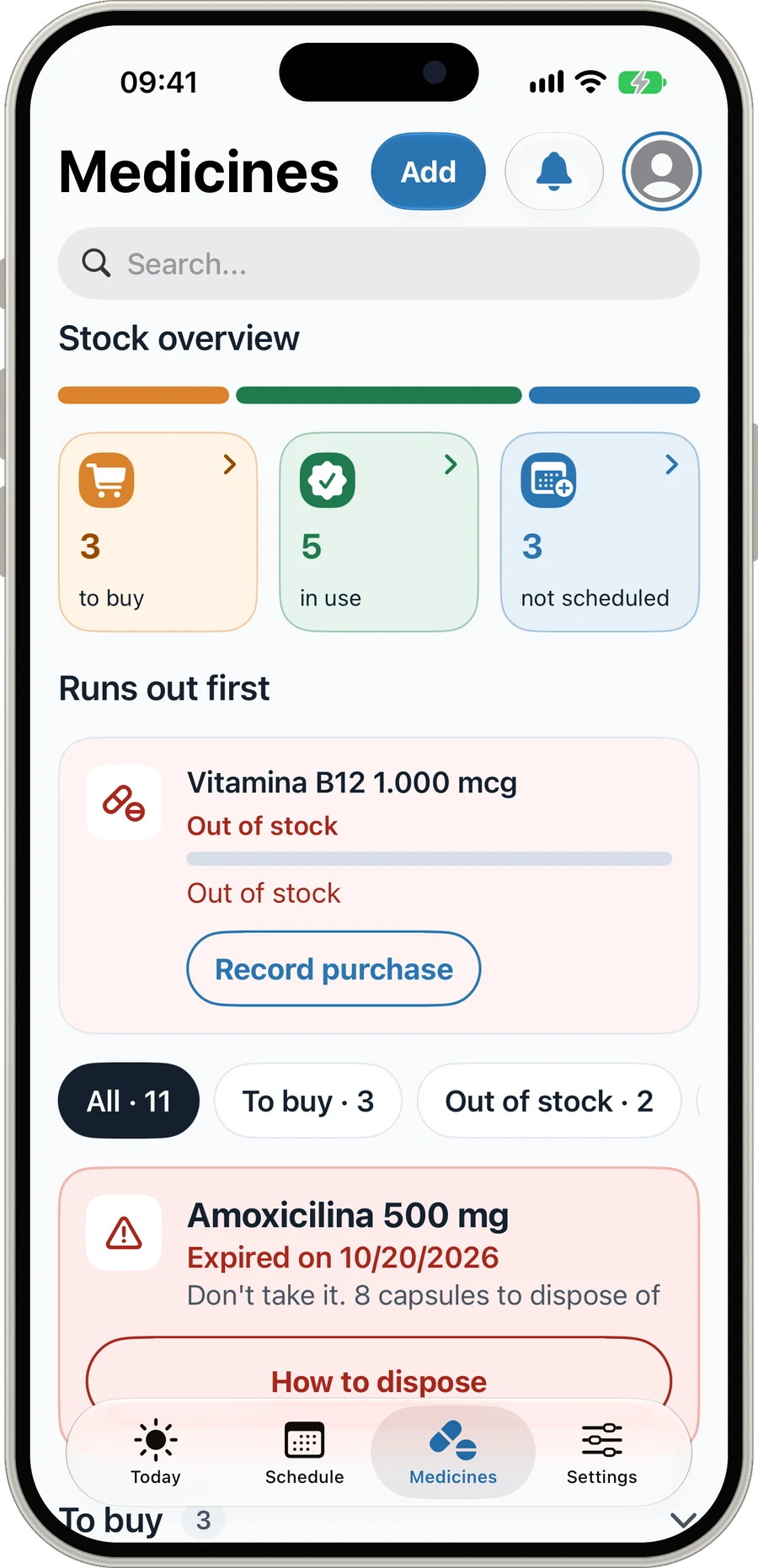
MediCasa's Medicines screen, with the stock summary

Free for up to 5 medicines · Individual and Family plans

  • Alarms ring in silent mode
  • Add from a box photo
  • Homes of up to 6 people
  • iPhone, iPad and Watch
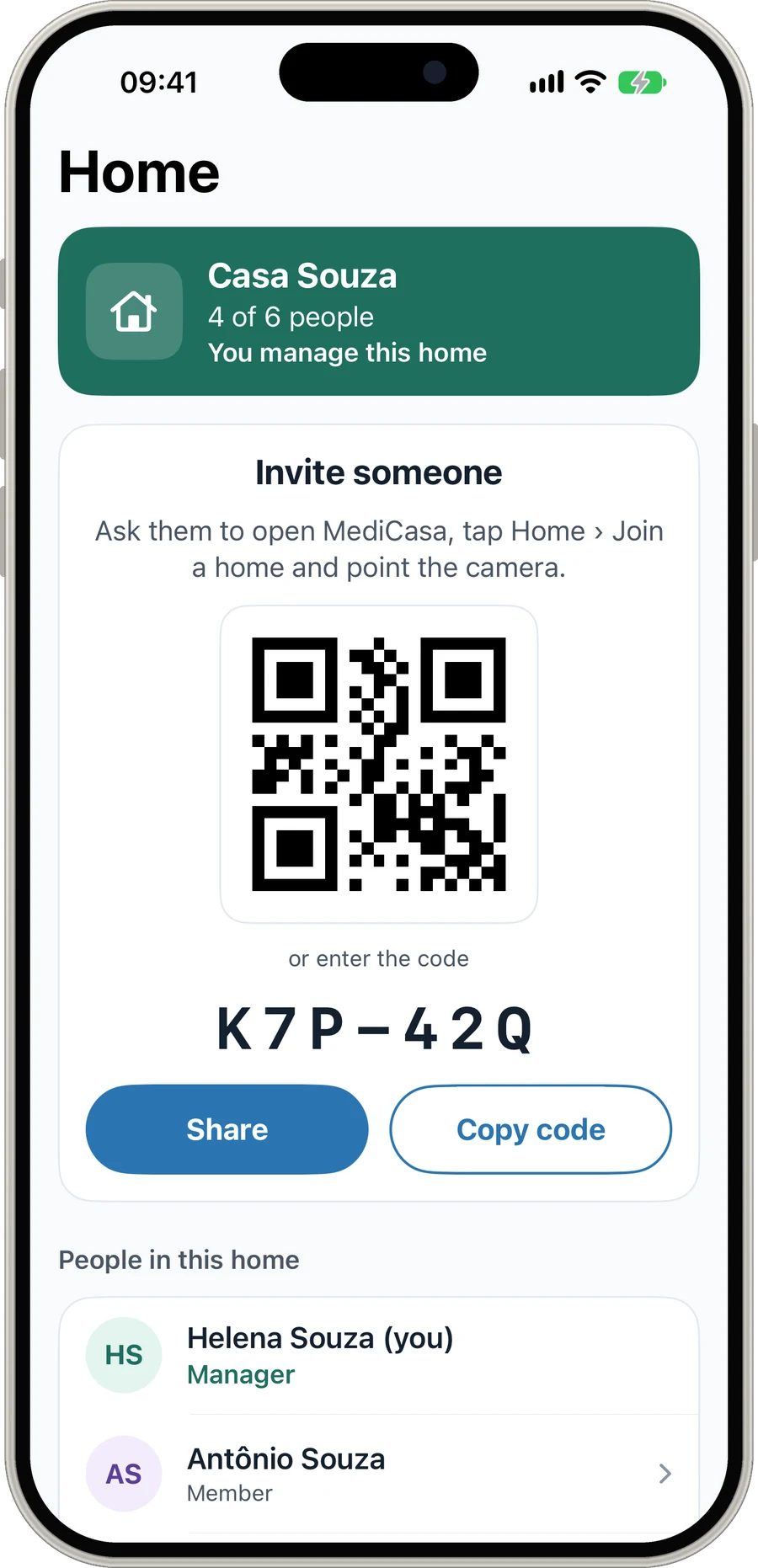
MediCasa's Home screen, with the QR code invite and the people in the home

What MediCasa is

Your home pharmacy, organized

One place to look after medicines: yours and your family’s. Add what you have at home, schedule the times and let the app remind you, count the stock and warn you before it runs out.

Made for people who care for their parents, their kids, their pet or a long treatment. Every dose taken goes into the history, and everyone in the home follows the same schedule.

  • 5medicines on the free plan
  • 6people per home
  • 11languages
  • 4kinds of device
See what it does
Made foriPhoneiPadiPhone DuoApple WatchLight and dark theme11 languages

What the app does

From the reminder to the pharmacy

Real MediCasa screens on iPhone. Each part of the app handles one step: taking it on time, knowing what you have at home, buying and tracking what it costs.

MediCasa · Today
Today

Never miss a dose

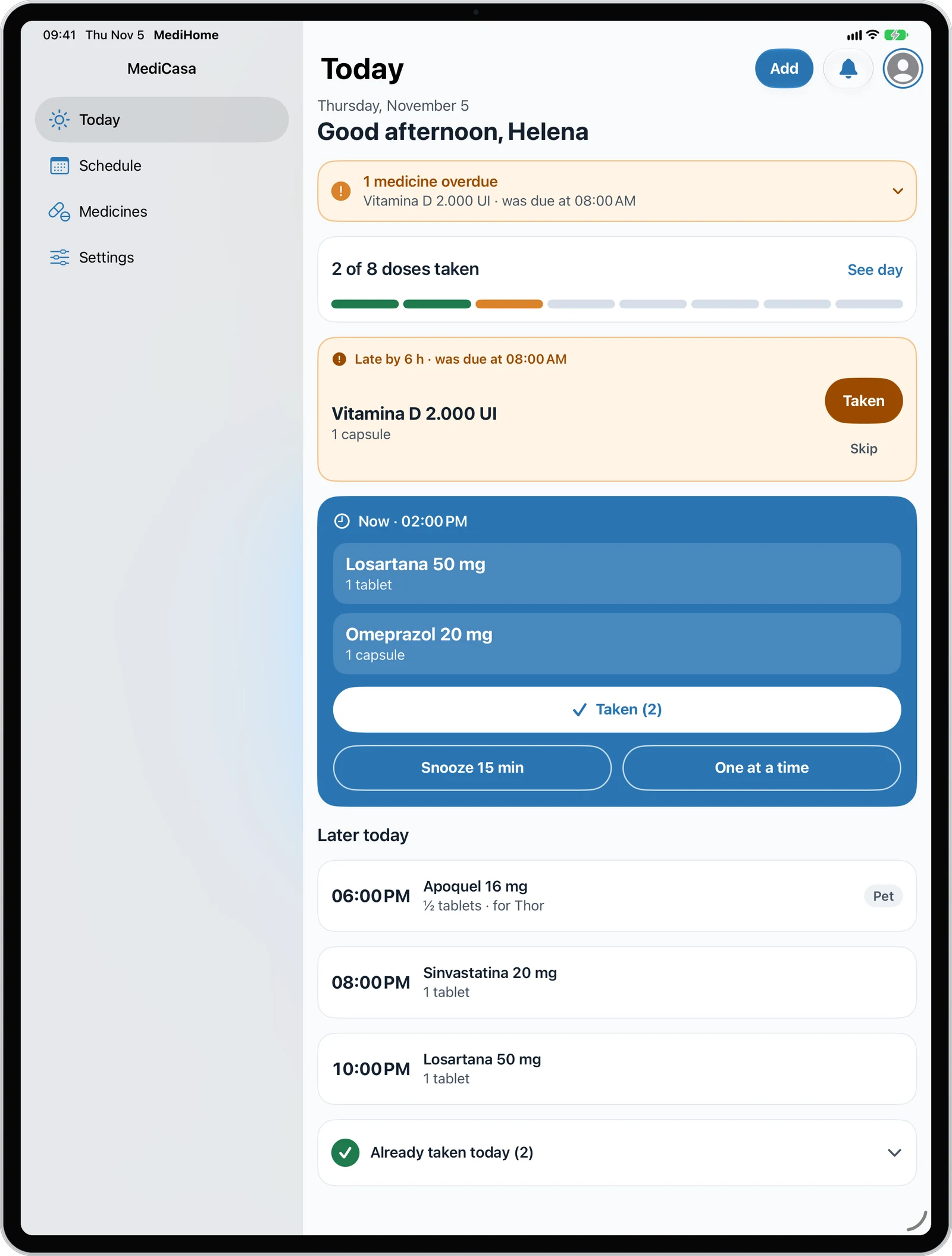
The Today screen shows what is late, what is due now and how many of the day’s doses were taken. One tap logs the dose; if now is not a good time, snooze it 15 minutes.

  • Late doses highlighted, with the planned time
  • Taken, Skip or Snooze 15 min
  • Alarms that ring even in silent mode
MediCasa · Schedule
Schedule

All your reminders in one place

See the week or the month, with each day’s doses and what was missed. Schedule at fixed times or every few hours, every day, on alternate days or on chosen weekdays.

  • Ongoing use or a treatment with an end date
  • History of what was taken
  • Pet reminders notify the whole family
MediCasa · Medicines
Medicines

Know when to restock

The stock summary separates what to buy, what is in use and what has no schedule. The app works out how many days each medicine will last and warns you before it runs out.

  • Low stock alert
  • Alert on the expiry date
  • Return to the pharmacy or dispose of expired ones
MediCasa · Adding
Adding

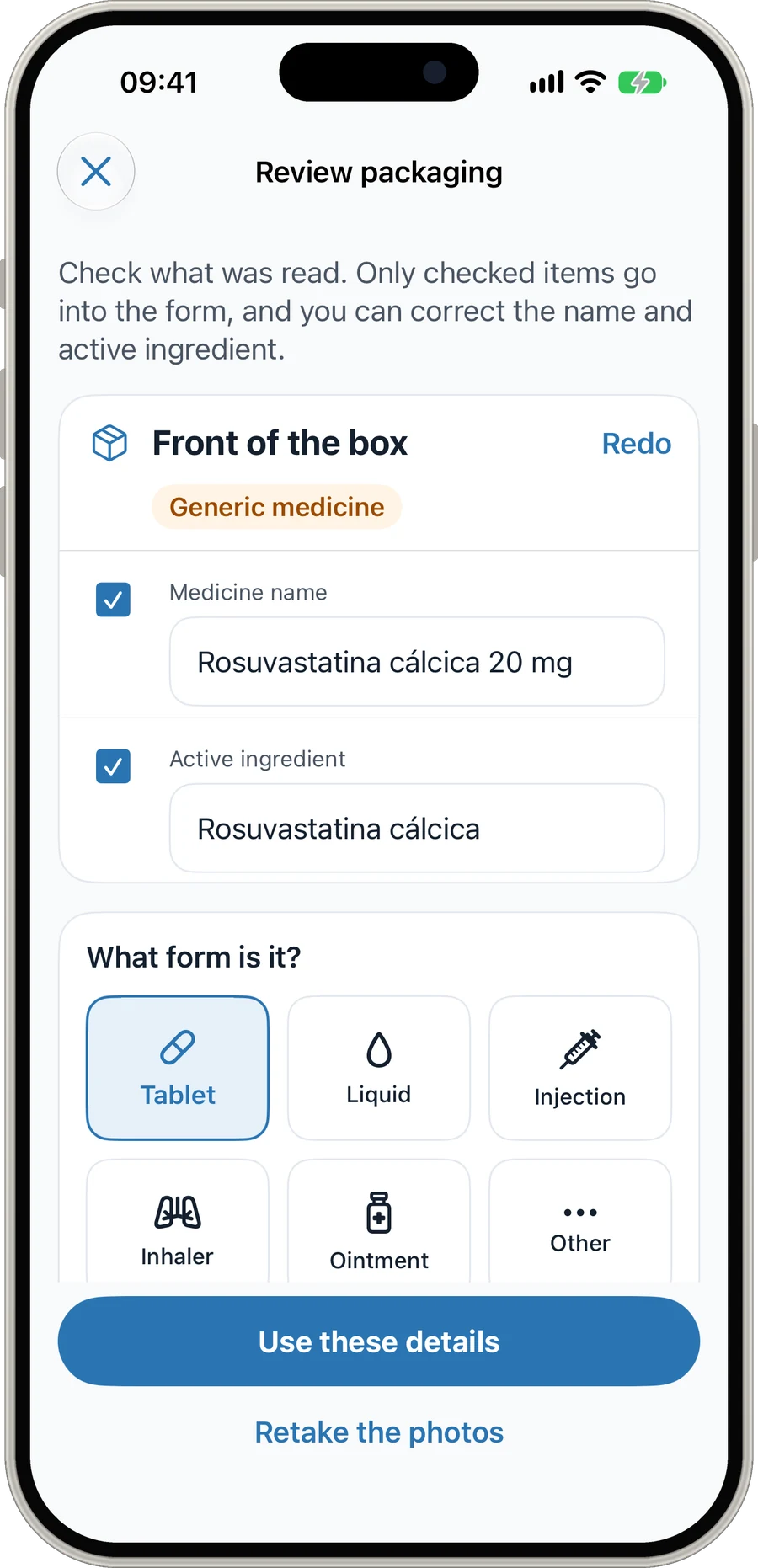
Add medicines from a box photo

Take a photo of the front of the box and the app fills in the name, the active ingredient and the form. Reading uses Vision and Apple Intelligence on the device, and you check everything before saving.

  • Batch and expiry read from the end of the box
  • Barcode to find the medicine on your next purchase
  • Only fills empty fields: nothing is overwritten
MediCasa · Purchases
Purchases

Prices by pharmacy

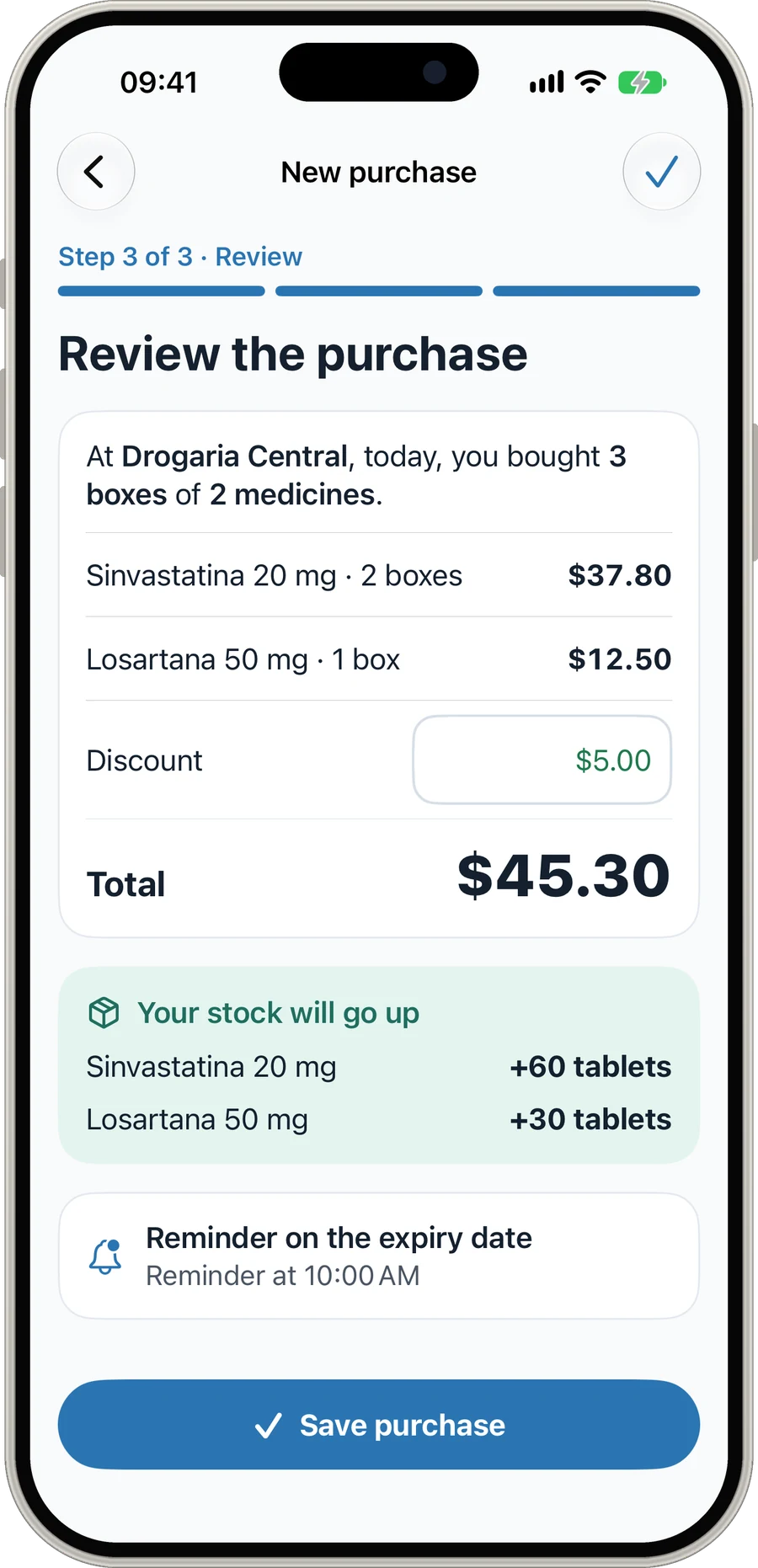
Log a purchase in three steps: pharmacy, medicines and review. The stock goes up on its own, with the discount and the total, and each pharmacy keeps the history of what you paid.

  • Stock added right away
  • Purchase discount and total
  • Your trusted pharmacies saved
MediCasa · Spending
Spending

See what you spend each month

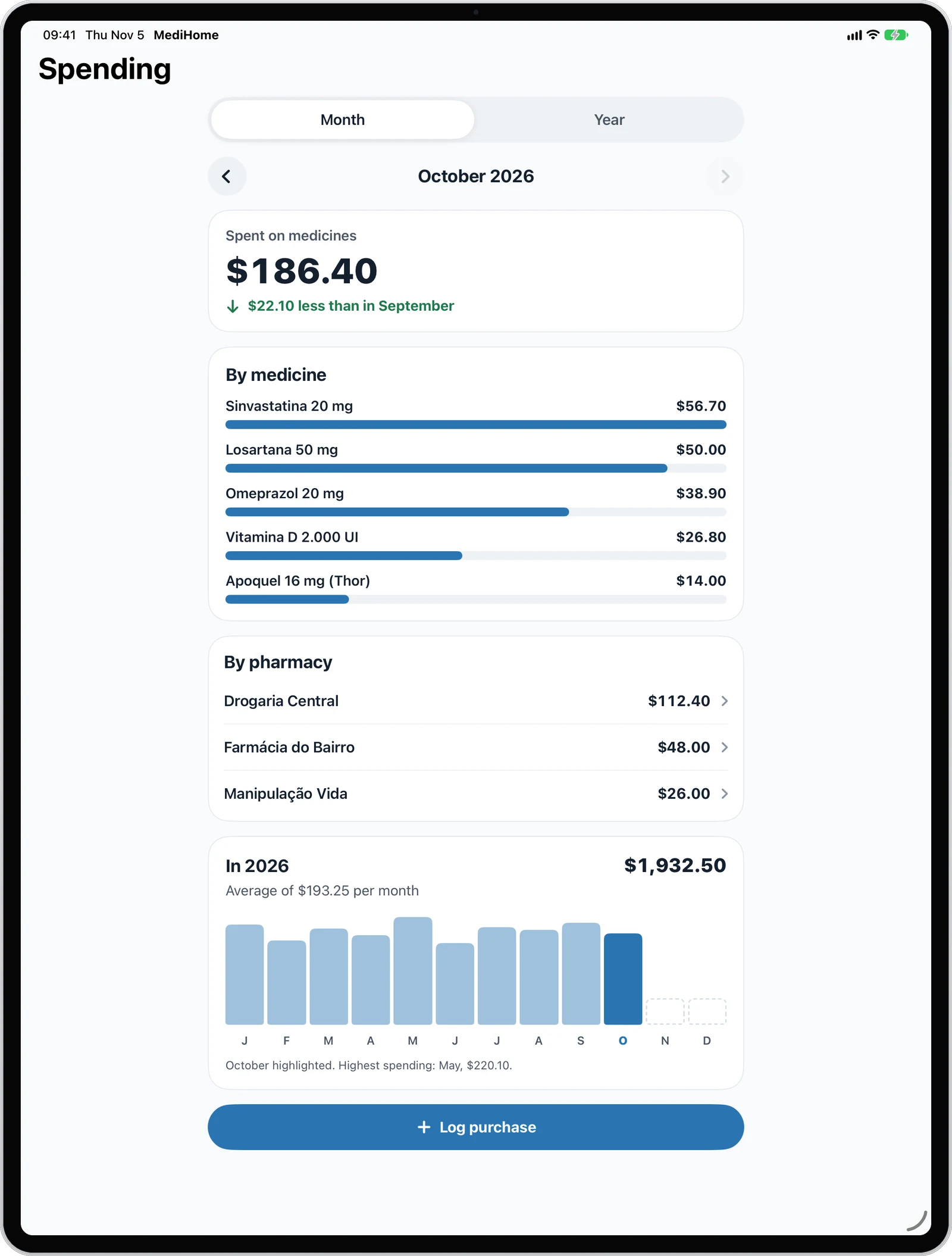
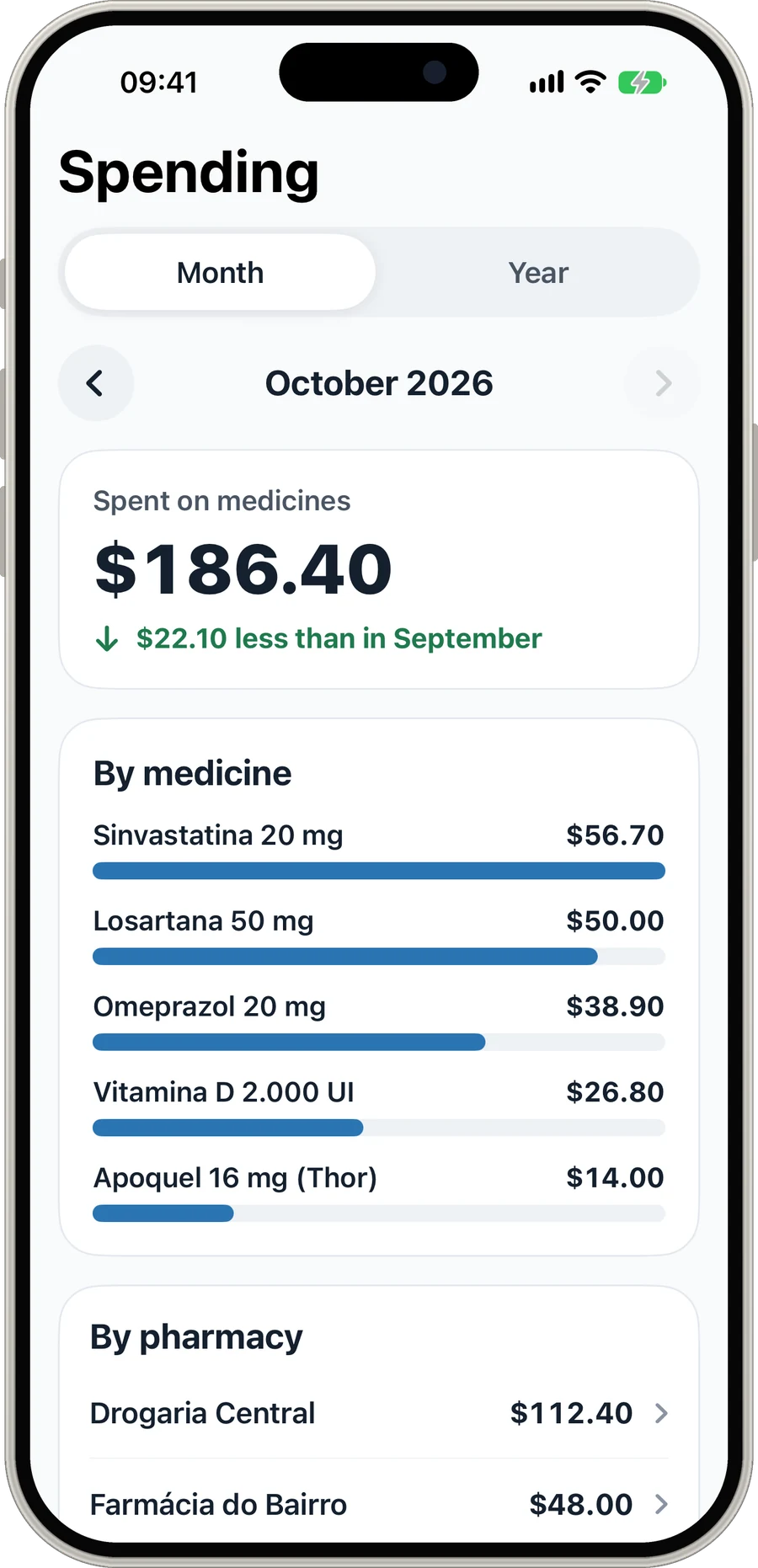
The month’s or the year’s total, compared with the previous period, split by medicine and by pharmacy. It is easy to see where the money goes and where to buy for less.

  • Month or year
  • By medicine and by pharmacy
  • Compared with the previous month
MediCasa · Home
Home

Care for the whole family

Create a home and invite up to 6 people with a QR code or a code. The home’s medicines are shared with everyone, and yours stay yours.

  • Invite by QR code or code
  • Shared schedule and pharmacies
  • One Family Premium for the whole home

One app, every screen

Just right on every device

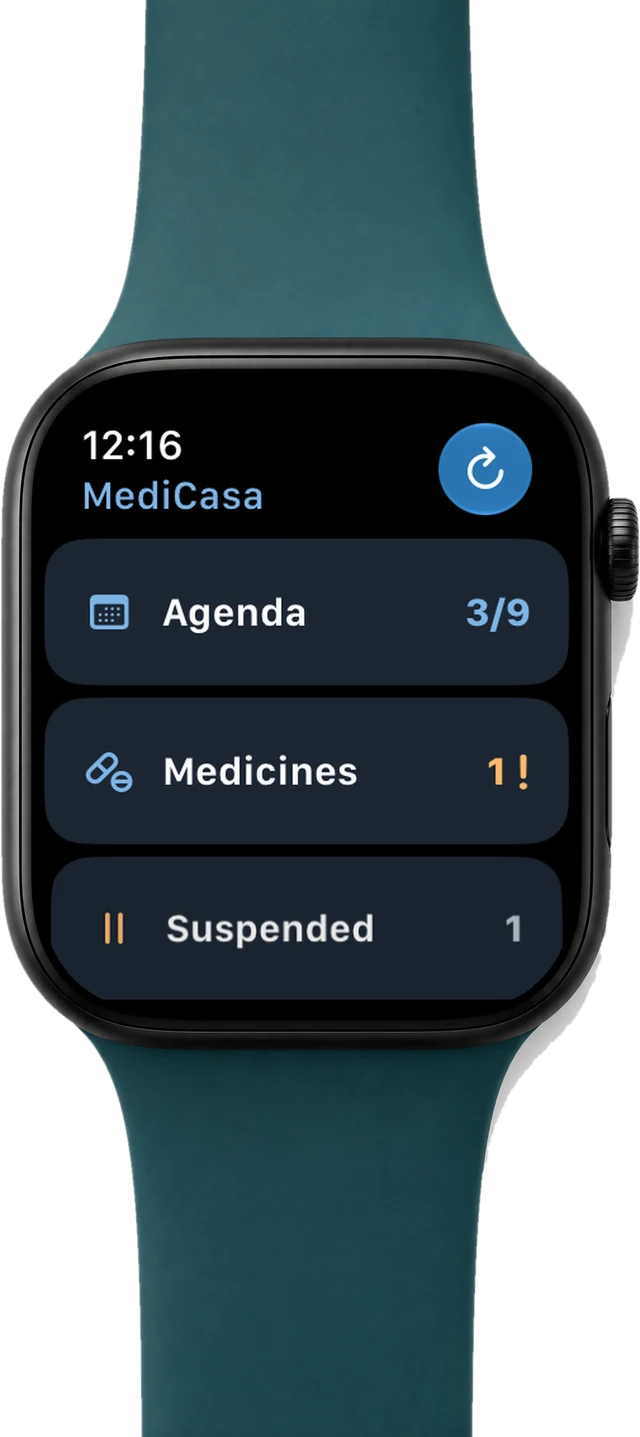
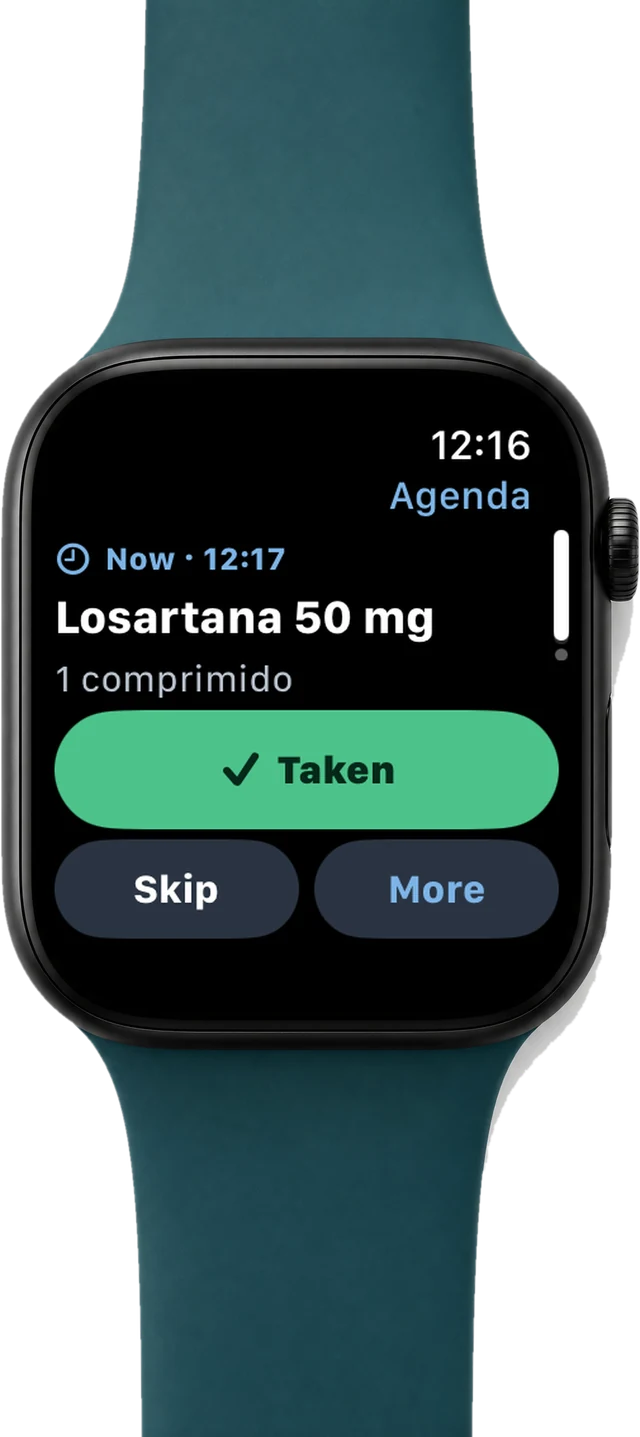
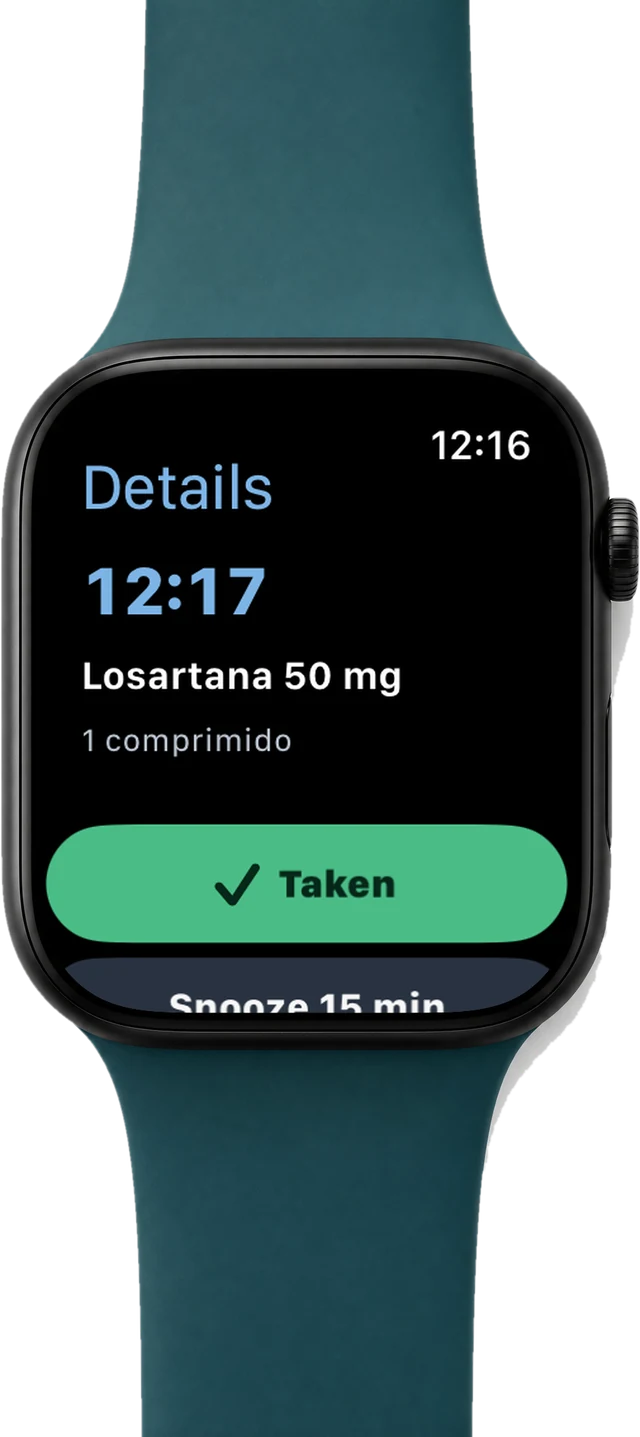
The layout adapts to the space: tabs on iPhone, a sidebar on iPad, two areas side by side on the open iPhone Duo and the day’s doses on your wrist.

iPad

Room to see the whole day

On iPad, navigation moves to the sidebar and each screen shows more: the doses due now, the next ones and what was already taken, in portrait or landscape.

MediCasa · iPad

Plans

Start for free. Subscribe when you need it.

The free plan keeps up to 5 medicines with stock. Premium plans unlock reminders, alarms, the schedule, purchases and spending; Family brings the whole home together.

Prices in Brazil. The App Store shows the price in your country’s currency. Subscriptions renew automatically and can be cancelled at any time in your iPhone’s Settings.

Frequently asked questions

Questions that always come up

Didn’t find yours? Talk to me directly, I answer quickly.

Talk to me
Is MediCasa free?

Yes, for up to 5 medicines with stock. Individual Premium (R$ 14.90 a month or R$ 149.90 a year in Brazil) unlocks unlimited medicines, the schedule, reminders, alarms, adding from a box photo, purchases and spending. Family Premium (R$ 24.90 a month or R$ 199.90 a year) adds a shared home with up to 6 people.

Do I need an account?

Yes. Sign in with Apple, with Google or with email and password. The account keeps your medicines in the cloud, so they show up on your devices and for the people you share your home with. If you want to leave for good, you can delete the account and its data from the app itself.

How does the shared home work?

Whoever has Family Premium creates the home and invites up to 6 people with a QR code or a code. The home’s medicines, schedule and pharmacies are shared with everyone; your personal medicines stay yours. People who join use the Family Premium of whoever created the home.

Does the alarm ring with the iPhone on silent?

Yes. With MediCasa alarms turned on, the alarm rings at the dose time, even in silent mode and full screen. Alarms need iOS 26 or later; on earlier versions the reminder arrives as a notification.

Does the box photo go to a server?

No. Reading the box uses Vision and Apple Intelligence on the device itself. It needs a device with Apple Intelligence; without one, just fill in the fields by hand.

Does it work on iPad and Apple Watch?

Yes. The same app runs on iPhone, iPad and iPhone Duo, with a layout for each screen, and there is an Apple Watch app with the day’s doses.

Does MediCasa replace medical advice?

No. The app organizes the times, stock and purchases of medicines that were already prescribed. Doses, times and changes of medicine are always up to your doctor or pharmacist.

How do I cancel my subscription?

In your iPhone’s Settings, tap your name and then Subscriptions. Cancelling takes effect at the end of the period already paid, and the app goes back to the free plan without deleting your data.

Get MediCasa

Your family's meds, on track

Start for free with up to 5 medicines and subscribe only if you need reminders, alarms and a shared home.

MediCasa's Medicines screen on iPhone
3D avatar of Renato Ferreira with arms crossed, wearing a blue hoodie

About the developer

Made by someone who runs a home too

I’m Renato, an iOS developer in Brasília, Brazil, with more than 25 years of software engineering and 7 of Swift. MediCasa was born from the medicine mess at home: boxes everywhere, a missed dose, a medicine that ran out over the weekend.

It is an independent app, native in SwiftUI for iPhone, iPad and Apple Watch. I read every suggestion sent from the app.

Contact

Any questions?

Suggestions, problems or ideas for MediCasa. I answer quickly by email, and you can also send suggestions from inside the app.